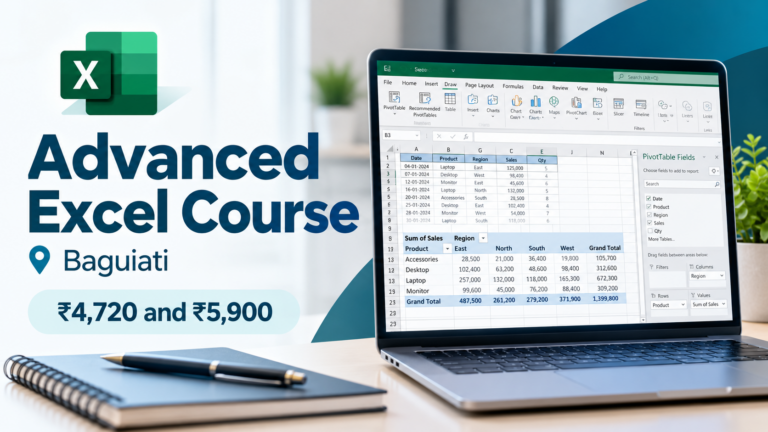
An advanced Excel course covers functions, lookups (VLOOKUP/HLOOKUP), Pivot Tables, Power Query, and macros — the tools used daily in finance, HR, sales, and operations roles. At Shashank Skills Academy (SSA), Baguiati, Kolkata, the Advanced Excel Course runs 6 weeks, offline or online, priced at ₹4,720 if you already know basic Excel, or ₹5,900 all-inclusive (covers basics and advanced, no hidden charges) if you’re starting from zero. Certification comes from an institute that’s ISO 9001:2015 certified, Tally Education empanelled, and has trained students since 2001.
Every few months, someone declares Excel dead. AI will write the formulas, the argument goes, so why bother learning them yourself. Then you sit through an interview for an accounts, admin, sales, or operations role, and the first practical test they hand you is a spreadsheet. This is exactly why an advanced Excel course keeps showing up on the resumes of people who actually get hired. It isn’t glamorous, but it’s one of the few skills that almost every department in almost every company still tests for.
This guide breaks down what an advanced Excel course actually teaches, who it’s for, what it should cost, and how to tell a course that will make you job-ready from one that just repeats what a school computer class already covered. Wherever specific numbers are quoted for SSA’s own Advanced Excel Course in Baguiati, Kolkata, they’re the actual current fee structure and duration, not marketing estimates.
Why an Advanced Excel Course Still Gets You Hired in 2026
Spreadsheets survived the shift from typewriters to computers, the dot-com boom, and the move to cloud software, and they’re surviving AI too. Mostly because AI tools built into Excel still need someone at the keyboard who understands what a correct formula, pivot table, or dataset should look like. Someone has to catch the mistakes.
That shows up in hiring. Search any major job portal for Excel-related openings in India and you’ll find a huge number of live postings, spanning MIS executive, financial analyst, HR coordinator, sales support, and back-office roles. Industry skills reports also continue to list Excel among the workplace skills employers expect as standard, even as newer skills like AI and data analytics get added to the list, not as a replacement for it.
None of this means Excel is the only skill worth having. But among the base-level, non-negotiable skills companies expect regardless of role or industry, it’s one of the few that hasn’t been displaced. The 2026 India Skills Report, published by ETS along with CII, AICTE, and AIU, found that 80% of employers now weigh practical skills and certifications as much as, or more than, a formal degree when hiring. An advanced Excel course is exactly the kind of practical, demonstrable skill that finding is describing.
Excel isn’t valuable because it’s cutting-edge technology. It’s valuable because almost every company, regardless of industry, still runs its day-to-day operations through spreadsheets, and someone on the team has to be able to build and check them properly.
Basic Excel vs Advanced Excel Course: What’s the Real Difference?
Most people who say they “know Excel” mean they can enter data, apply basic formatting, and maybe use SUM or AVERAGE. That’s basic Excel, and it’s what a general MS Office course covers. An advanced Excel course goes several levels further, into the functions and tools that turn a spreadsheet from a digital notebook into an analysis and reporting engine.
| Basic Excel | Advanced Excel Course |
|---|---|
| Data entry and formatting | VLOOKUP, HLOOKUP and lookup-based functions |
| SUM, AVERAGE, COUNT | Logical, statistical, financial and text functions |
| Simple sorting and filtering | Pivot Tables and Pivot Charts |
| Basic charts | Power Query for cleaning and importing data |
| Manual, repetitive reporting | Macros for automating repetitive tasks |
| Single sheet, single file work | Cross-sheet, cross-workbook referencing and protection |
What You Learn in SSA’s Advanced Excel Course
SSA’s Advanced Excel Course follows a structured, hands-on syllabus. Here’s what it actually covers, grouped by what each section is used for on the job:
Foundations & Data Control
- Introduction to the Excel environment
- Cell referencing across worksheets and workbooks
- Subtotals and structured summaries
- Protecting cells, sheets, workbooks and files
Formulas & Functions
- Logical, string, financial, information and numeric functions
- Statistical functions for trend prediction
- Date and time functions
- DSUM and other database functions
Finding & Analysing Data
- Lookup, VLOOKUP and HLOOKUP for pulling data across sheets
- What-If analysis and data importation
- Filtering, sorting and subtotalling large lists
Reporting, Dashboards & Automation
- Pivot Tables and Pivot Charts for management-ready reports
- Power Query for cleaning and combining data
- Macros for automating routine, repetitive tasks
- Printing and preparing Excel data for sharing
All of this is taught on real office-type data and scenarios rather than generic textbook examples, so what you practise in class is close to what you’ll actually be asked to do at work.
Who Should Take an Advanced Excel Course?
Class 12 & College Students
If you’re still in college or have just finished Class 12, an advanced Excel course is one of the fastest ways to add a genuinely useful, resume-ready skill outside your regular syllabus. It’s especially useful if you’re heading toward commerce, BBA, or any role that involves handling data, budgets, or reports.
Working Professionals
If you’re already working in accounts, admin, HR, sales, or operations and you’re still doing manual data entry and static reports, an advanced Excel course is usually the fastest route to doing your existing job faster, and to being considered for the MIS, analyst, or coordinator-level roles that sit above pure data entry.
Job Seekers & Career Switchers
For anyone actively job hunting, especially for roles in finance, HR, sales support, or operations, being able to talk through Pivot Tables and VLOOKUP in an interview, and actually demonstrate it if asked, puts you ahead of candidates who only list “Excel” on their resume without backing it up.
Where These Skills Are Used on the Job
Finance & Accounting
Budgeting, reconciliations, GST-related calculations, and financial summaries all lean on the same advanced formulas and Pivot Tables taught in this course.
HR & Admin
Attendance tracking, payroll sheets, and recruitment trackers are usually built and maintained in Excel long before, or alongside, any dedicated HR software.
Sales & Marketing
Lead trackers, pipeline reports, and campaign performance summaries are commonly built in Excel, especially in smaller and mid-sized companies that don’t run a full CRM.
Operations & Management
Inventory tracking, resource planning, and MIS reporting rely heavily on filters, conditional formatting, and summary formulas to turn raw operational data into something a manager can act on.
Even in companies that use ERP or CRM software, Excel is usually still the tool people export data into to actually analyse or present it.
Advanced Excel Course in Kolkata: Local Job Market & SSA
Kolkata’s job market runs on a large base of small and mid-sized businesses, trading houses, accounting firms, education institutes, and back-office operations, alongside the bigger BFSI and IT-enabled services employers in the city. A lot of the entry-to-mid level roles in this kind of market — data entry, accounts assistant, MIS executive, admin coordinator — list Excel as a required skill.
Pay for these roles varies a lot by company, experience, and negotiation, more than by city alone, so treat any single number with caution. As one data point, Payscale’s Kolkata data puts early-career Executive Assistant roles in the roughly ₹1.4–5.8 lakh per year range and mid-career Account Executive roles in the roughly ₹1.8–3.9 lakh range, though your own numbers will depend on the specific role and employer. It’s worth checking live listings on Naukri or Indeed for the Kolkata roles you’re targeting, since job-market numbers shift often and are more current there than in any single article.
SSA runs its Advanced Excel Course from its Baguiati campus on VIP Road, near the 44 Bus Stand, with an online option for anyone who can’t attend in person. Training locally, from an institute that has worked with Kolkata’s SME and services sector since 2001, is one of the reasons the course leans so heavily on real office-type data rather than generic textbook exercises.
SSA’s Advanced Excel Course: Fees, Duration & Certification
| Track | Fee | Who it’s for |
|---|---|---|
| Advanced Excel only | ₹4,720 | Already comfortable with basic Excel (data entry, simple formulas) |
| Basics + Advanced (all-inclusive) | ₹5,900, no hidden charges | Starting from zero Excel knowledge |
- Duration: 6 weeks
- Mode: Offline at the Baguiati campus, or online
- Certification: From an ISO 9001:2015 certified, Tally Education empanelled institute, training students since 2001. Certificates are accepted by employers across sectors, including for government job applications.
- Training style: 100% practical, on real office-type examples
- Faculty: Industry-experienced, Microsoft-certified trainers
- After the course: 100% placement assistance, with lifelong placement support
Want the full breakdown? Read our Advanced Excel course in Baguiati fees and syllabus: what each fee pays for, the class-by-class path, the cost per hour and which track suits you.
Course structure and fees are as published on SSA’s official Advanced Excel Course page at the time of writing. Always confirm current fees and batch timings directly with SSA before enrolling, since institute fees are periodically revised.
Common Mistakes When Choosing an Advanced Excel Course
- Picking an advanced Excel training course purely on price, without checking whether it’s basic MS Office training relabelled as “advanced”
- Not asking for the actual syllabus before enrolling, since the functions and tools covered vary a lot between institutes
- Assuming a certificate alone guarantees a job, instead of checking whether the institute offers placement assistance
- Skipping practice on real datasets and only working through printed exercises
- Not clarifying upfront whether basics are included if you’re starting from zero, since fee structures often assume prior knowledge
FAQ
Do I need to already know Excel before joining an advanced Excel course?
Not necessarily. At SSA, the ₹4,720 track assumes basic Excel knowledge, while the ₹5,900 all-inclusive track starts from zero and covers basics before moving into advanced topics.
How long does SSA’s Advanced Excel Course take?
Six weeks, available offline at the Baguiati campus or online.
Is the certificate from an advanced Excel course recognised for government jobs?
SSA’s certification is backed by its ISO 9001:2015 certification and Tally Education empanelment. The institute states its certificates are accepted by employers across sectors, including for government job applications, though it’s worth checking the specific requirements of any government role you’re applying for.
What’s the difference between SSA’s MS Office course and the Advanced Excel Course?
The MS Office course covers Word, Excel, and PowerPoint at a foundational level. The Advanced Excel Course goes deep specifically into Excel — functions, lookups, Pivot Tables, Power Query, and macros — aimed at people who need Excel as an analysis and reporting tool, not just basic document skills.
Will finishing an advanced Excel course guarantee me a job?
No single course guarantees a job. What it does is make you a stronger candidate for roles that specifically test for Excel skills, and SSA backs the course with placement assistance rather than leaving you to job-hunt alone.
Can I complete the course fully online?
Yes. SSA offers the Advanced Excel Course both offline at its Baguiati campus and online.
Conclusion
Excel isn’t going away, and neither is the expectation that people applying for accounts, admin, HR, sales, or operations roles can actually use it beyond basic data entry. An advanced Excel course won’t replace your degree or your experience, but it closes a very specific, very common gap between what colleges teach and what employers test for in interviews.
If you’re in Kolkata and considering one, SSA’s Advanced Excel Course runs both tracks, whether you’re starting from zero or already comfortable with the basics, over 6 weeks, offline or online, with certification and placement support behind it.